QR code menu ordering

QR code menu ordering that sends every order to the kitchen.

Put a QR on each table. Guests scan it, browse your menu with photos and order from their own phone. The order reaches the kitchen as a KOT with the table number on it. Nothing to download.

✓ No app for guests ✓ Orders tagged with the table ✓ Call waiter button
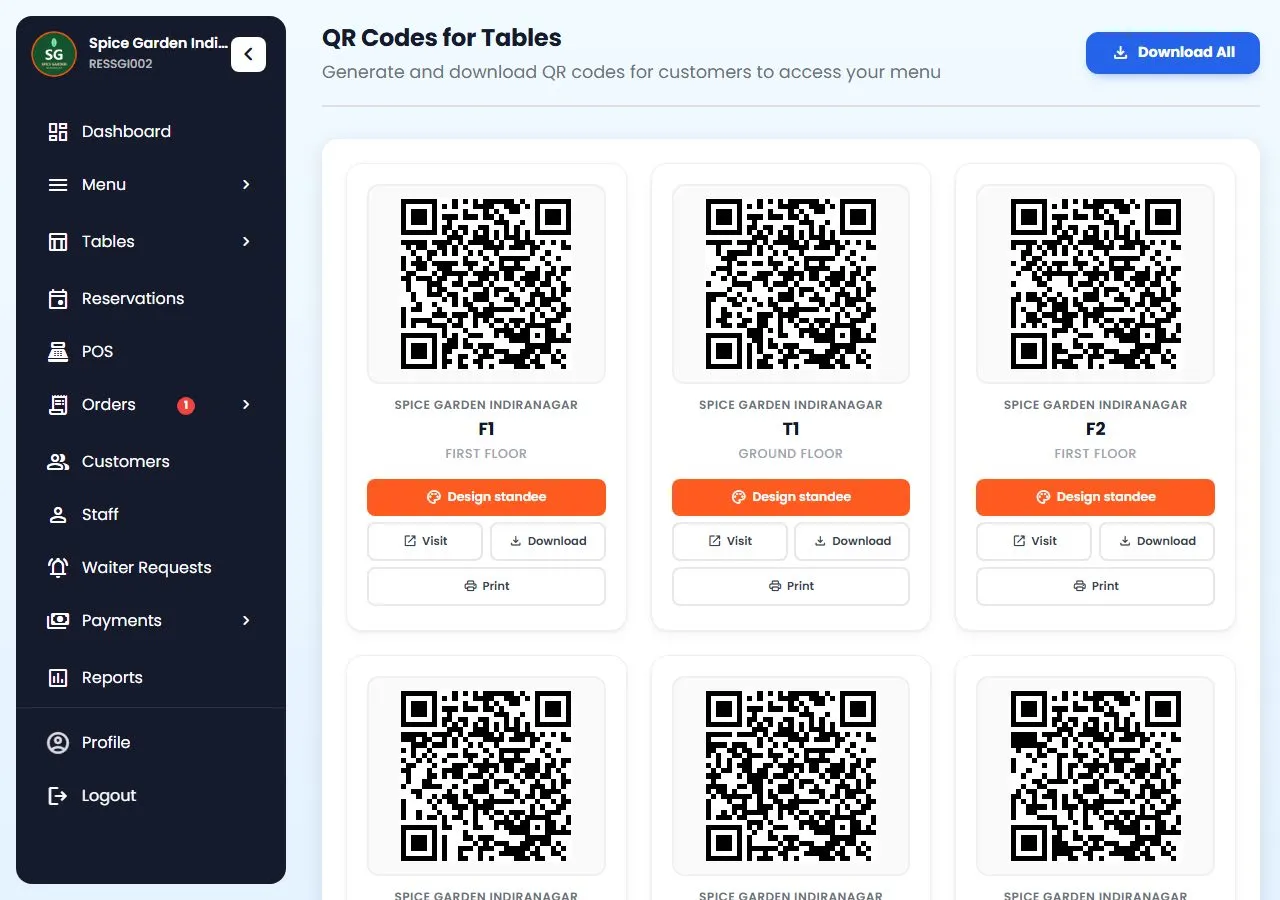
Restro Grow QR codes for tables: one QR per table with Design standee, Download and Print buttons
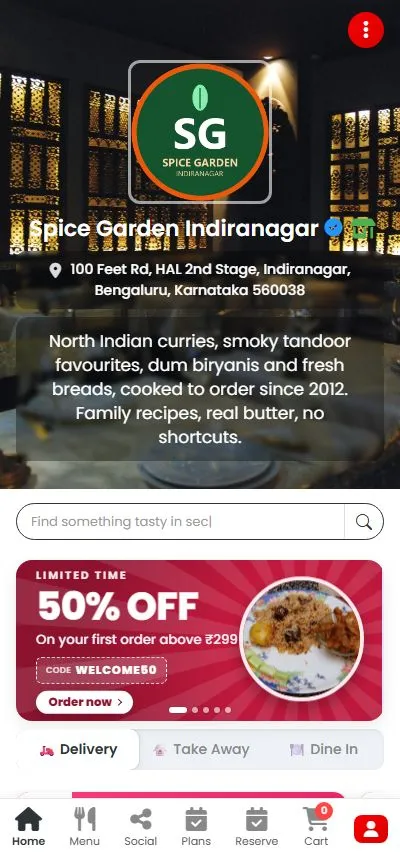
A restaurant's own menu page opened from a table QR, with dine-in, takeaway and delivery

Menu or ordering?

A QR menu should do more than open a PDF.

A QR code that opens a PDF shows guests your dishes, but they still have to wave for a waiter to order. With table QR ordering the QR opens your live menu, the guest orders from it, and the kitchen gets the ticket straight away, tagged with the table. Our guide on how to make a QR code menu explains both.

Restro Grow's table QR codes open your own ordering website, the same one customers use for takeaway and delivery. See everything Restro Grow does.

What guests see

Your menu, on their phone.

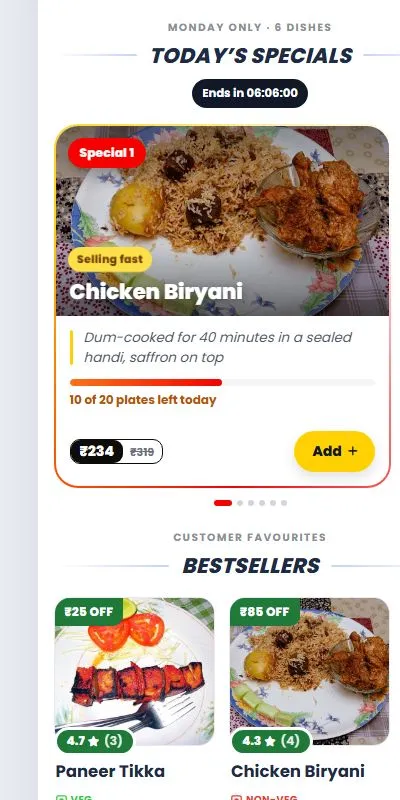
The QR opens your restaurant's own menu page with your logo, photos and prices. Guests add dishes to the cart like on a food app, without downloading anything.

  • Photos, veg and non-veg marks, sizes and add-ons on the dishes.
  • Today's Special and bestsellers near the top, so the dishes you want to sell get seen.
  • “Complete your meal” suggests a drink or dessert that goes with the order.
  • Breakfast or lunch menus that show only at the hours you set.

Straight to the kitchen

No waiter in the middle, no order lost.

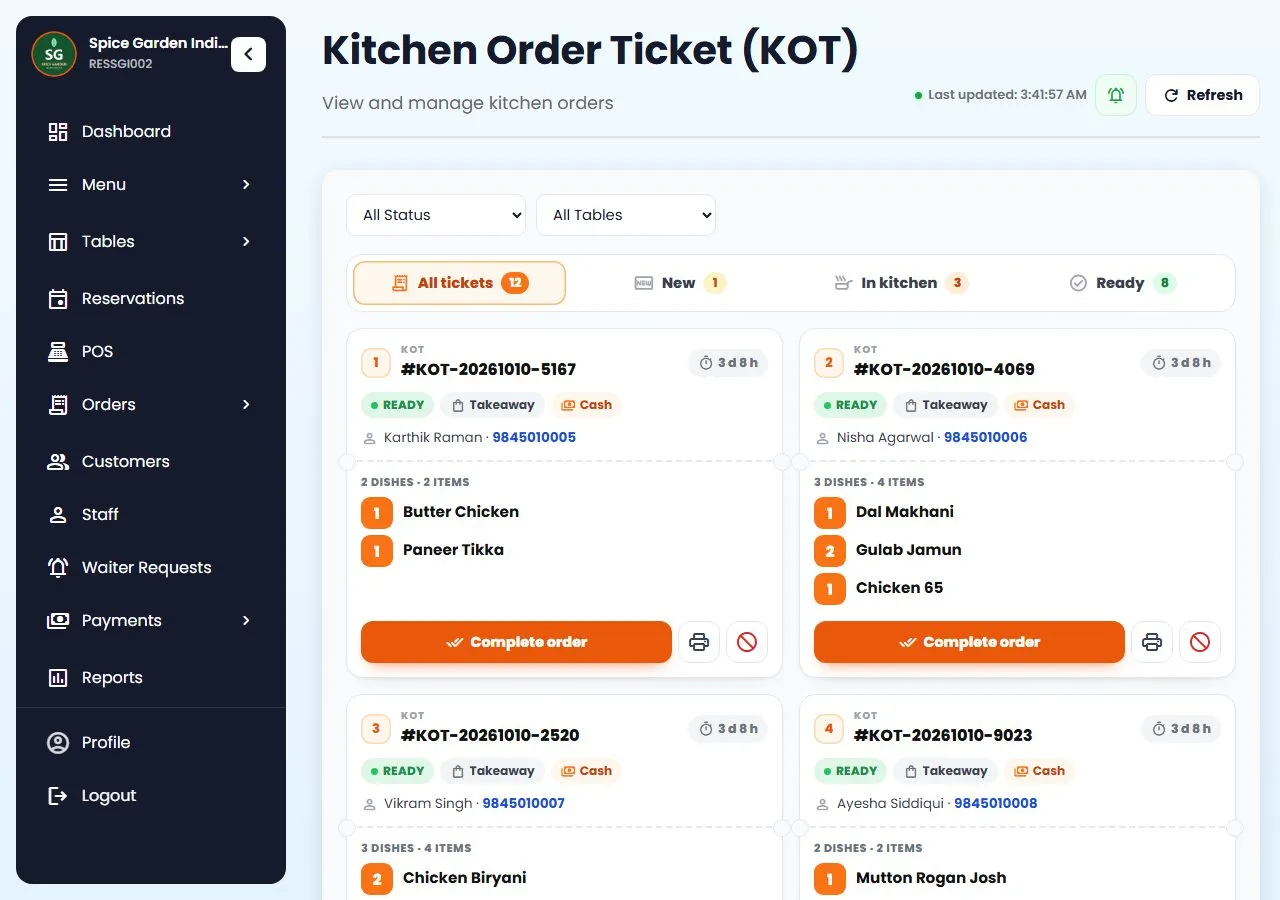
When a guest places a dine-in order from a table QR, it reaches the kitchen as a KOT with the table number. Drinks made at the bar go to the bar on a BOT.

  • The table number is on the ticket, so food goes to the right table.
  • Kitchen display or printed KOT, whichever your kitchen uses.
  • A new-order alert rings on the dashboard until someone accepts it.
  • Fake-order protection: numbers whose orders you keep rejecting get blocked.
Restro Grow kitchen tickets with status and timers KOT with the table

Call waiter

Guests ask for things without waving.

Next to the menu there's a Call waiter button. Guests pick what they need and the request reaches your staff straight away.

  • Water, cutlery, the bill or “ready to order”.
  • Requests show up in Waiter Requests, on the waiter's screen and in the owner app.
  • Switch it off any time if you don't want it.
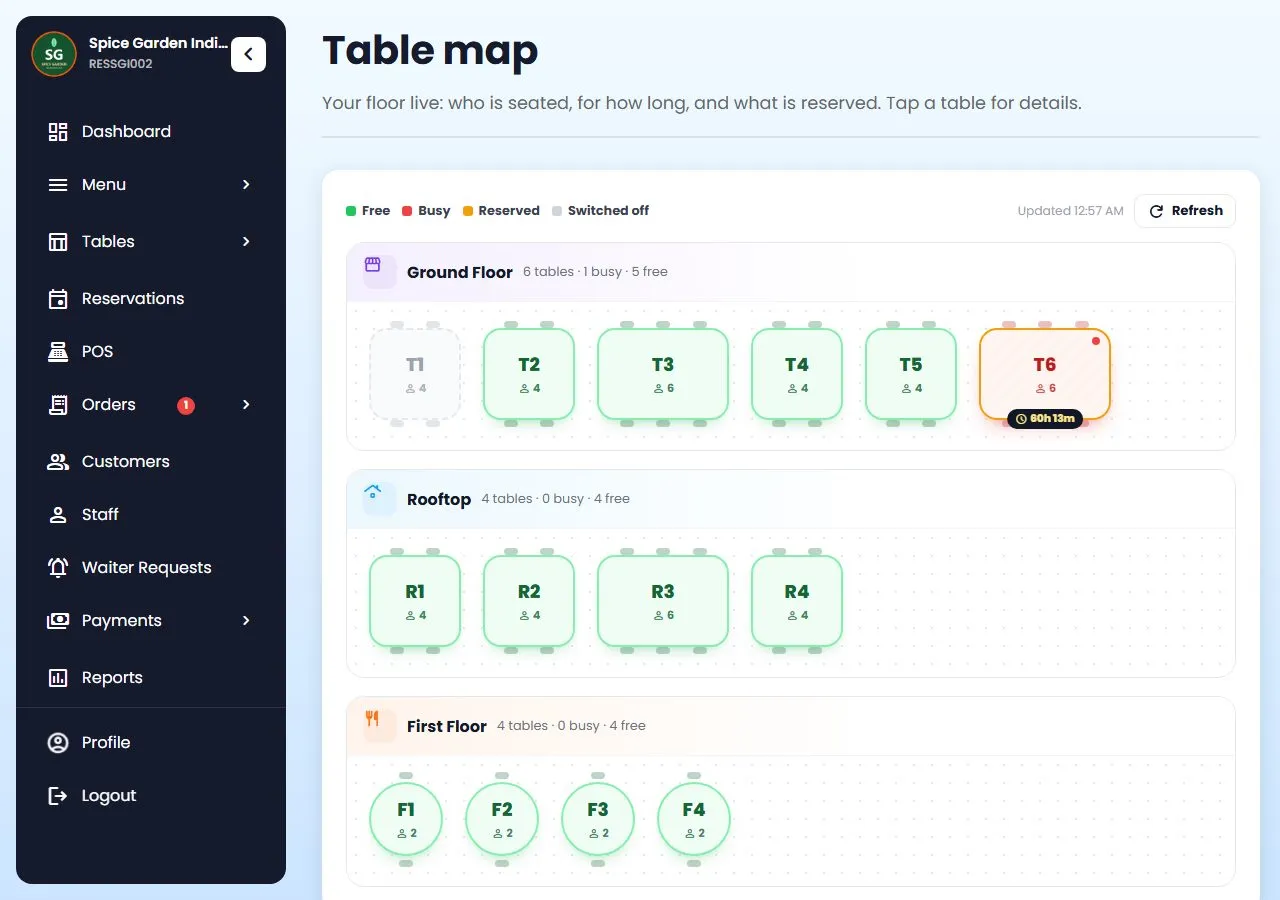
  • The table map shows which tables are busy, and for how long.
Restro Grow table map with free, busy, reserved and switched-off tables live floor

More with table QR

Details that guests notice.

All of this is in the product today.

💳

Pay at the counter or online

Guests can choose to pay at the counter, or pay online if you've set up online payments or your UPI QR.

🎁

Table orders earn points

Guests who give their phone number earn loyalty points on table orders too, and become customers you can bring back. See Loyalty.

🔍

Search and veg filter

Guests can search the menu and switch to veg only, so a long menu stays easy to use.

🖨️

QR codes ready to print

Download every table's QR in one go, or design a 4 × 6 inch standee with your logo and colours, ready to print.

💬

Prefer WhatsApp?

Restro Grow can also make a QR for each table that opens a WhatsApp chat to order. See WhatsApp ordering.

🛵

Same menu for delivery

The page your QR opens is your own ordering website, so next time guests can order takeaway or delivery from home, with no commission.

How it works

Table QR ordering in three steps.

Add your tables

Name them by area: Ground Floor T1 to T6, Rooftop R1 to R4.

Print the QR codes

Download them all, or design standees with your logo, and put one on each table.

Guests scan and order

Orders reach the kitchen with the table number. You serve, they pay.

Stuck on a step? Call or WhatsApp +91 63775 68749 and we'll set it up with you.

Questions

QR ordering questions

Something else? Message us on WhatsApp and talk to a person.

Do guests need to download an app?

No. The QR opens your menu in the phone's browser. Guests order there, and can come back to the same page any time.

How does the kitchen know which table ordered?

Each table has its own QR code. The order arrives tagged with that table, and the KOT shows the table number.

Can guests still order from a waiter?

Yes. QR ordering sits next to normal service. Waiters can take orders on their phone or at the POS, and both reach the same kitchen.

How do guests pay?

They can pay at the counter as usual, or pay online if you've set up online payments or your UPI QR.

What about fake orders?

Orders need a valid phone number, one number can only place so many orders, and a number whose orders you keep rejecting gets blocked by itself.

Is this the same as a PDF menu?

No. A PDF only shows the menu. Restro Grow's QR opens a live menu: change a price or mark a dish sold out and guests see it at once, and they can order from it.

Can I print the QR codes myself?

Yes. Download all the QR codes at once and print them on any printer, or use the standee designer to make a 4 × 6 inch table standee with your logo.

What happens if I rename a table?

Its QR code changes, so Restro Grow warns you before you save. Print the new QR for that table.
Keep reading

Keep exploring

Put your menu on every table.

Add your tables, print the QR codes and take your first QR order tonight.

Start free trial Talk to us

7-day free trial on every plan. No credit card needed, cancel anytime, set up in about 5 minutes. See plans and pricing.

WhatsApp Free trial