NEW For tiffin services, cloud kitchens & restaurants

Sell the whole month. Not one meal at a time.

Put monthly tiffin plans on your own website. Customers pay upfront, then skip days, pause and change their address on their phone. Every morning, their meals land in your kitchen by themselves.

Paid upfrontUPI, QR or cash
Kitchen orders, dailyMade for you each morning
Zero callsCustomers manage their plan
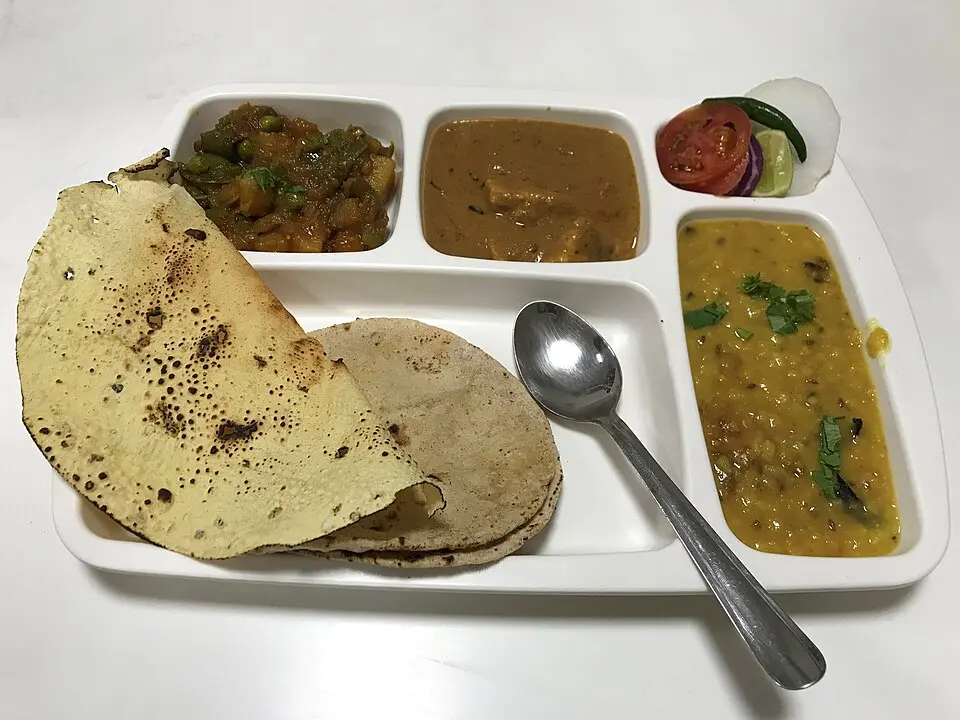
Vegetarian thali in a compartment tray: dal, sabzi, paneer, roti, papad and salad Today's thali, 38 boxes ✓
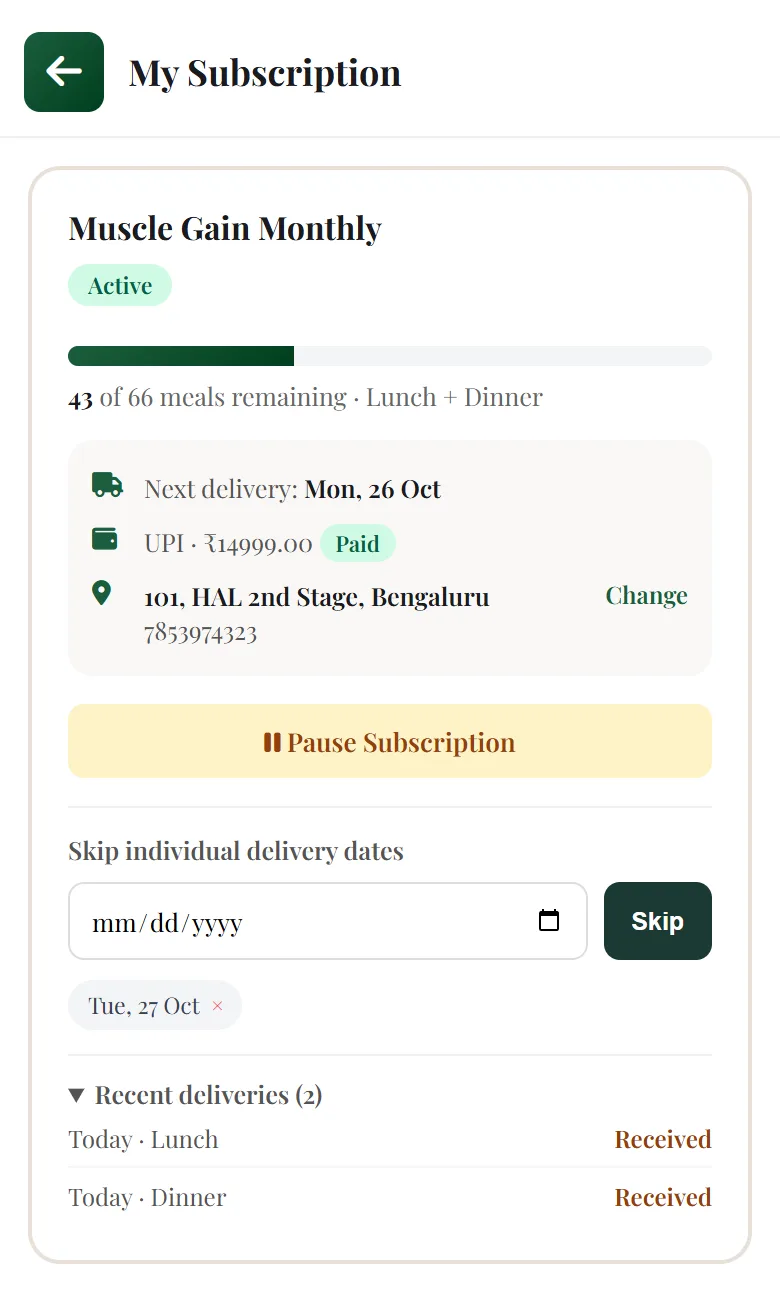
The real My Subscription page a customer sees: meals left, next delivery, payment, address and skip dates
KITCHEN · LUNCH SUB-2410 · Priya S.
Veg Thali × 1
B-204, Green Park
Meal 9 of 26 · Paid
Sound familiar?

Running tiffins on WhatsApp and a notebook doesn't scale.

Every skip, every address change and every "how many are left?" lands on your phone. Then someone has to write it down, and remember it at 11 am when the boxes are packed.

T
Tiffin customers48 participants
RohitBhaiya kal tiffin mat bhejna, bahar ja raha hun
NehaFrom Monday please send to office, Cyber Tower 5th floor
AmitMere kitne tiffin bache hain?
Check karke batata hun 🙏
SanaPayment kal kar dungi pakka
RohitSorry, kal bhej dena actually 😅

Tiffin register, Oct

Rohit: skip Tue send Tue?? ✗
Neha: new addr from Mon (office)
Amit: 26 − 9 = 17 left? or 16
Sana: ₹3,499 pending (3rd time)
Kabir: pause 4 days, Diwali
Meera: plan over, renew? ask
Total today: 41 or 43
"Kal tiffin mat bhejna"They tap the day offThe kitchen skips them, the meal stays in their plan.
"Send to office from Monday"They change the addressThe rider's next order goes to the new place.
"Kitne tiffin bache hain?"They see it on their phoneMeals left, next delivery and every past delivery.
"Payment kal kar dunga"They pay before it startsUPI at checkout, or you mark cash as received.

The real product

Not a mock-up. These are the actual screens.

Taken from our demo restaurant. What you see here is what you and your customers get on day one.

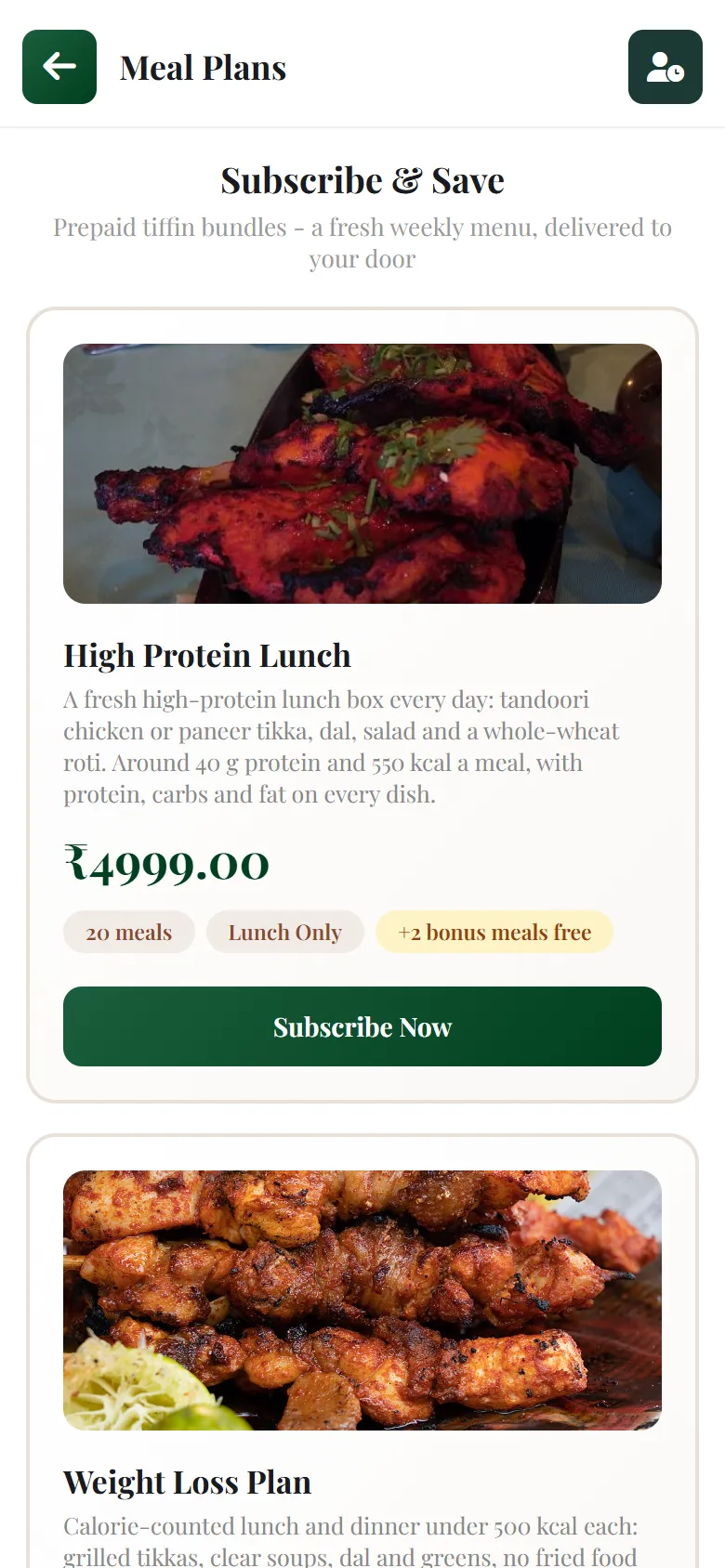
A plans page on your own website.

Your plans, with photos, price, meals and bonus meals. Customers pick one, choose a start date, drop a pin and pay.

  • 01
    Your brand, your linkLives on your restaurant website. Share it on Instagram, WhatsApp or a QR on the counter.
  • 02
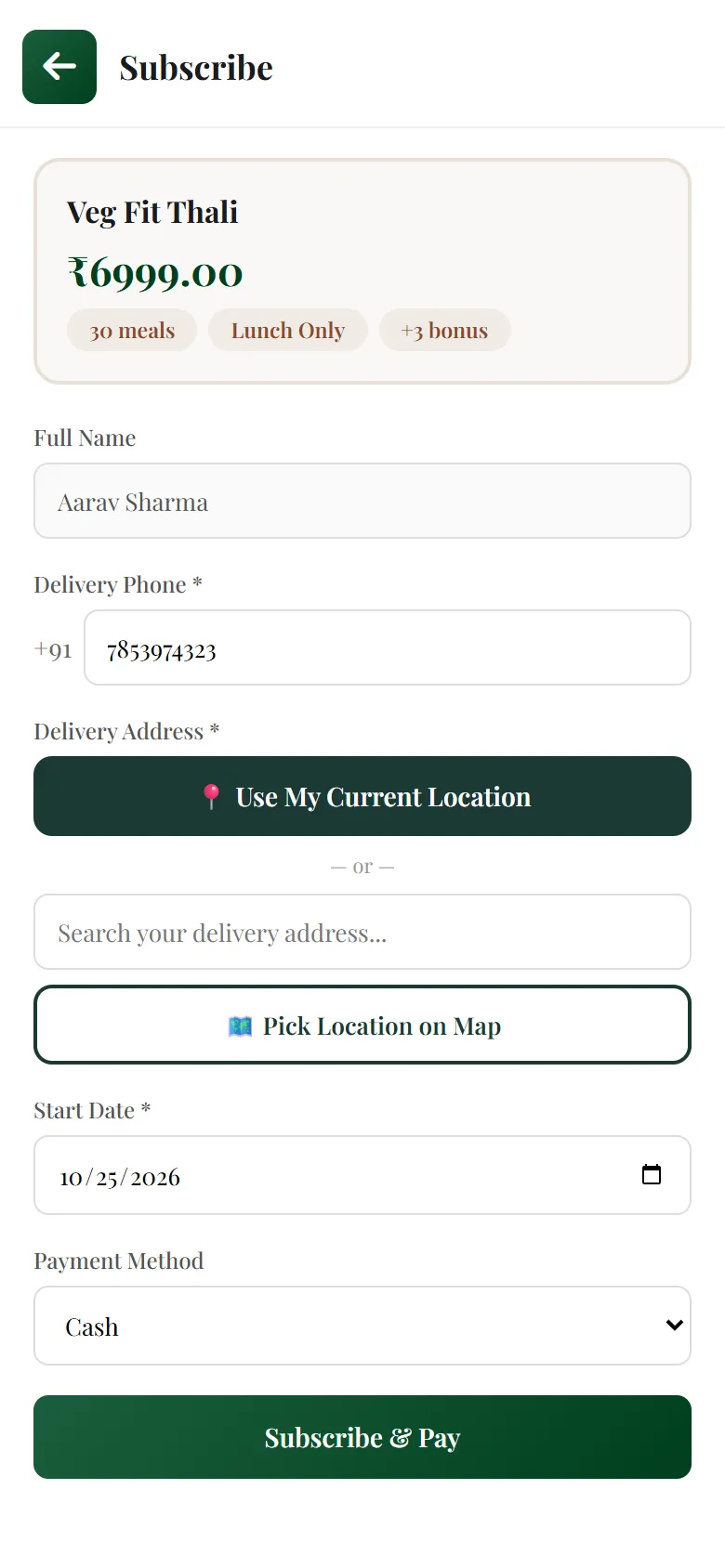
    Start date and map pinNo "where do I deliver?" calls. The address comes with a location.
  • 03
    UPI, QR or cashOnline payments confirm on their own. You can switch cash off.
Real meal plans page with plan photos, prices and Subscribe Now buttons
Real subscribe page with phone, address, start date and payment method

Their plan, in their pocket.

Everything a tiffin customer usually calls you for is on one screen. Every change shows on your dashboard straight away.

  • 01
    Skip a day or pauseNothing is lost. Skipped meals stay in the plan.
  • 02
    Change address and phoneEven today's waiting delivery follows the new address.
  • 03
    Meals left, next delivery, historyReceived, preparing, delivered: they can see it all.
Real My Subscription page: meals left, next delivery Mon 26 Oct, paid by UPI, address with Change, Pause button, a skipped date and recent deliveries

Every subscriber, on one screen.

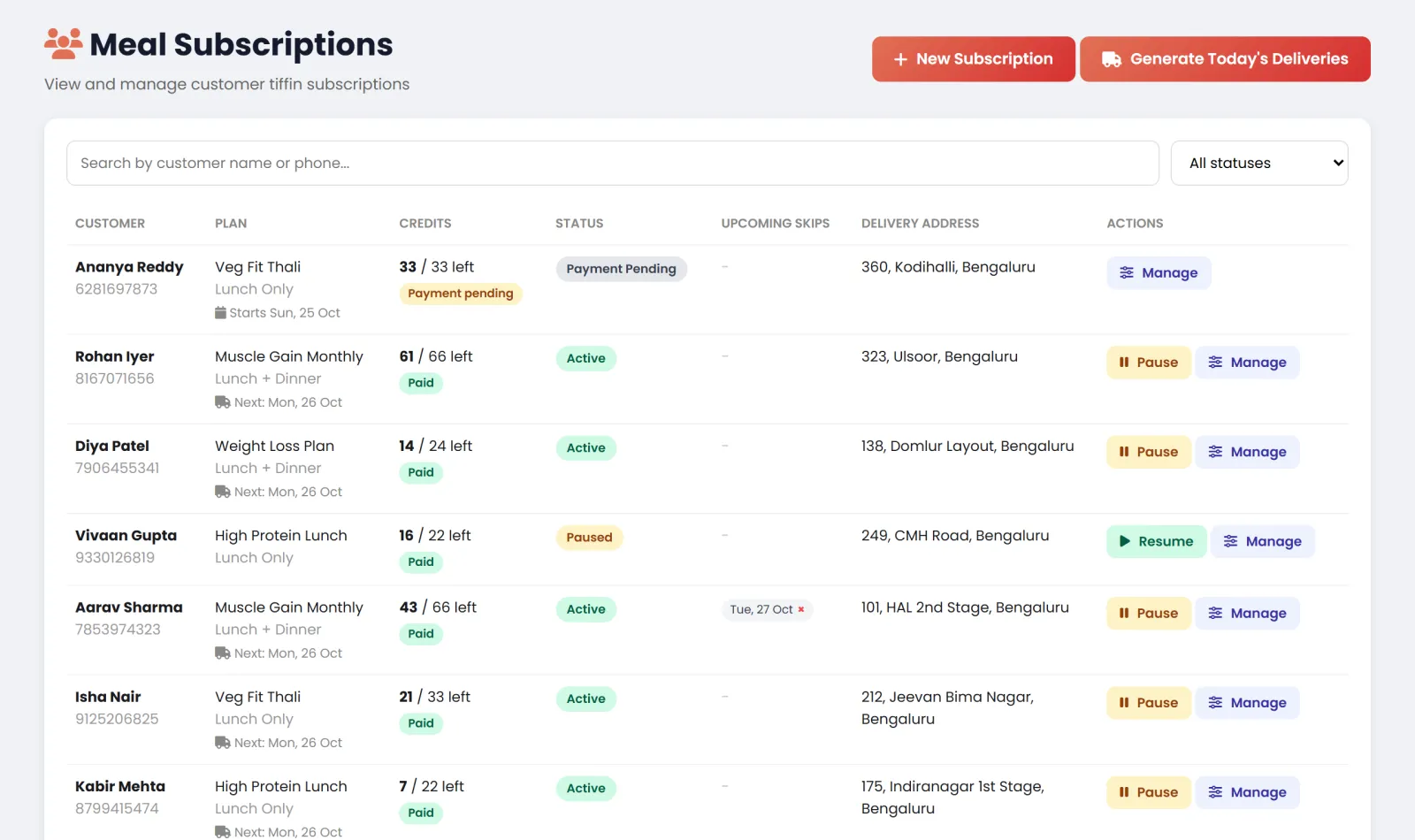
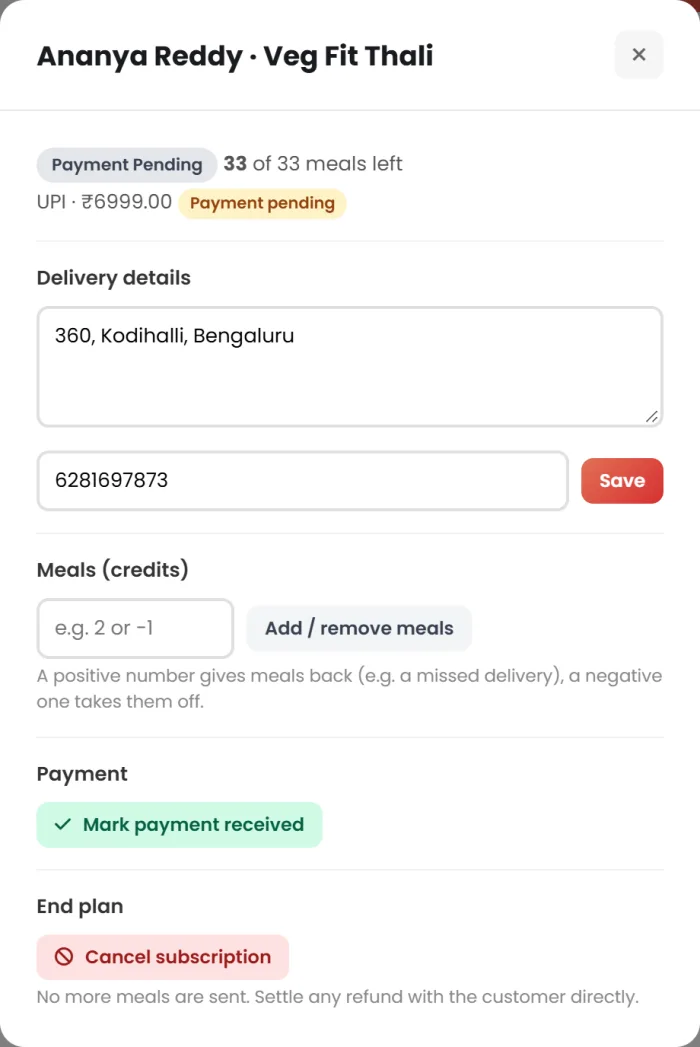
Meals left, next delivery, payment, skips and address for each customer. When someone calls, you can do it for them in two taps.

  • 01
    Who still has to payPending payments stand out. Mark cash as received in one click.
  • 02
    Give a meal backLate or missed delivery? Add a meal and the customer sees it.
  • 03
    Owner and manager onlyStaff can pause and skip, but can't give away meals or end a plan.
restrogrow.com · Meal Subscriptions
Real Meal Subscriptions dashboard listing customers with plan, meals left, payment, status, address and Manage buttons
Real Manage window: delivery details, add or remove meals, mark payment received, cancel subscription

Make a plan in a minute.

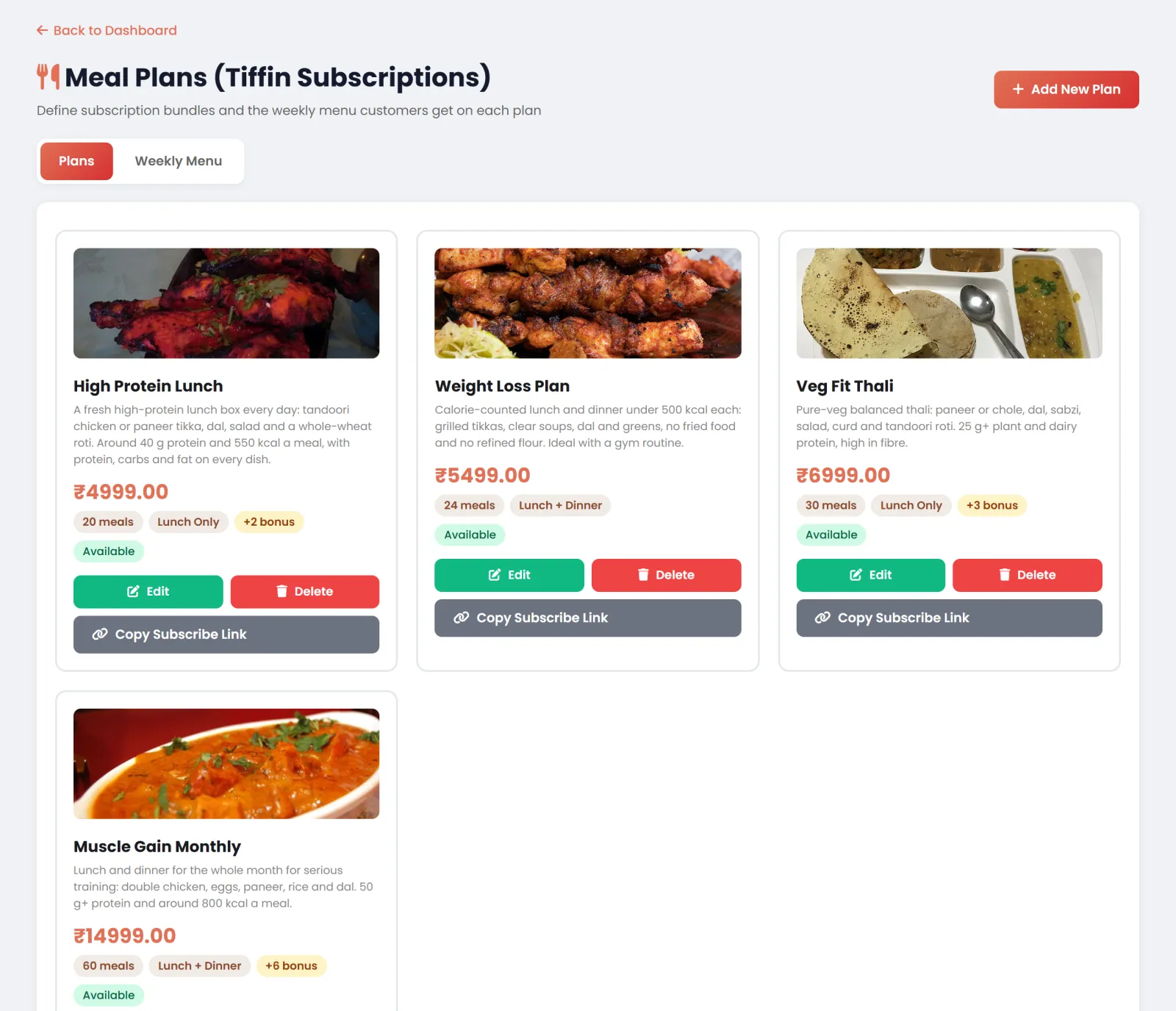
Name, lunch or dinner or both, number of meals, price, bonus meals and a photo. Copy the link and share it.

  • 01
    As many plans as you likeOffice lunch, home thali, high protein, student plan.
  • 02
    Weekly menu with photosMonday to Sunday. Days without a menu are days off.
  • 03
    Walk-in customers tooSign someone up at the counter, with or without an account.
restrogrow.com · Meal Plans
Real Meal Plans screen with four plans, photos, prices, meals, bonus meals and Copy Subscribe Link buttons

Real screenshots from the Restro Grow demo restaurant

Try it yourself

Tap anything. Both sides update.

Left is your customer's phone, right is your dashboard. Skip a day, pause, change the address or send today's meals, and watch the other side follow.

Customer's phone
←My Subscription
Your dashboard
Meal Subscriptions
CustomerPlanMealsStatusSkipsDeliver to
What just happened
Tap a button above, or anything on either screen.
A bowl of dal tadka with a red chilli
EVERYMorning

While you sleep

Every morning, the day's tiffins make themselves.

No list to write, no orders to punch. Each customer due today becomes a normal order with a kitchen ticket, next to your other orders.

  • Night
    Customers make their changesSkips, pauses and new addresses, right up to the morning.
  • Early
    Today's orders are createdSkipped, paused and no-menu days are left out on their own.
  • Then
    Kitchen tickets go outTo your kitchen screen or printer, with the day's menu, meal time and address. One meal is counted off.
  • Lunch
    Out for deliveryEach order carries the customer's latest address and phone.
  • Done
    Customer sees "Delivered"And how many meals are left. No message needed.

Weekly menu

Show the week. Sell the month.

Customers see what's coming every day, with photos. You change a day in a few seconds, and Sunday off is just a day without a menu.

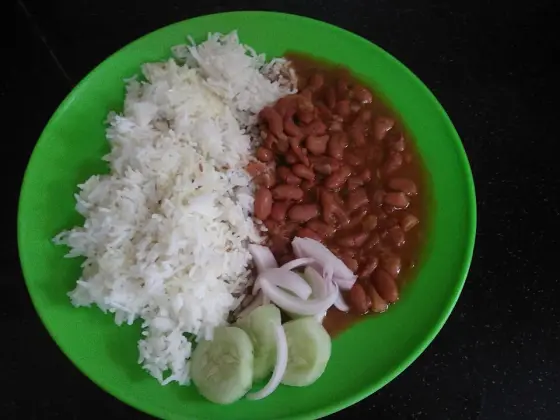
Rajma chawal with onion and cucumberMON
Rajma chawalSalad, pickle
Palak paneerTUE
Palak paneer4 roti, jeera rice
Kadai paneer with naanWED
Kadai paneerDal, roti
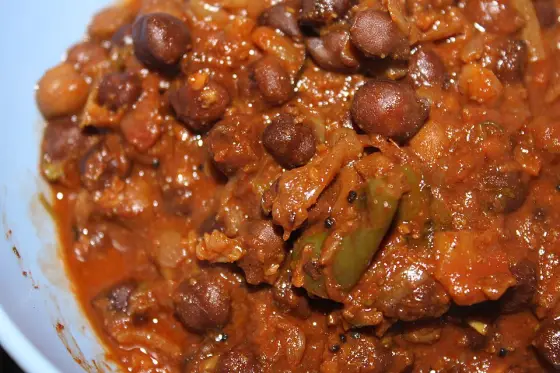
CholeTHU
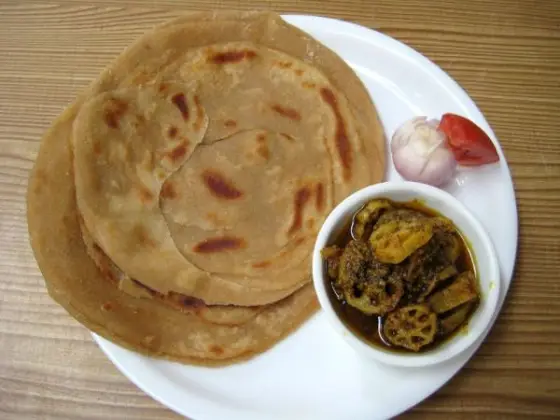
CholeLaccha paratha
Dal tadkaFRI
Dal tadkaSabzi, rice, roti
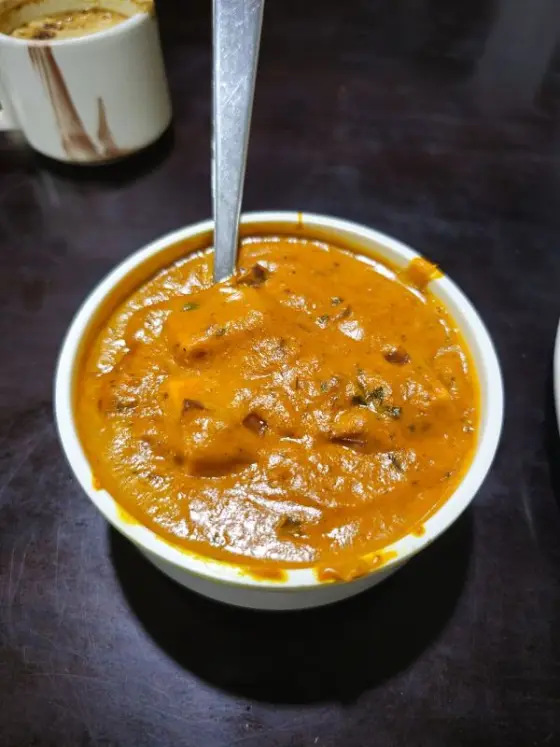
Paneer butter masalaSAT
Paneer butter masalaSweet of the day

Example menu. You write your own.

Do the maths

What would a month of tiffins bring in, upfront?

Move the sliders to your own numbers.

5300
₹1,000₹10,000
1060
Collected before the month starts
₹1,40,000
₹16,80,000in a year
40boxes a day to plan for
₹135per meal
1,040meals sold a month

Worked out from the numbers above, before costs. Your results depend on your plans and customers.

Made for

Anyone who feeds the same people every day.

Questions

Good to know

Something else on your mind? Message us on WhatsApp and talk to a person.

Do my customers need to download an app?

No. They subscribe and manage their plan on your restaurant's website, from any phone.

How are meals counted?

One meal is counted off for each delivery day. Skipped days, paused days and days without a menu don't count. When the meals run out, the plan ends and the customer can renew.

Can a customer skip today?

Yes, until today's meal goes to the kitchen. After that the day can't be skipped, so your kitchen never cooks for nothing.

How do customers pay?

Online by UPI or card, by scanning your QR code, or in cash. You can mark cash and QR payments as received from your dashboard, or switch cash off.

Do I need to create orders every day?

No. Each morning the day's meals become orders on their own, with kitchen tickets, next to your normal orders. There's also a button to send them yourself.

Can I end a plan or give a refund?

Yes. The owner or a manager can end a plan and no more meals are sent. Any refund is settled with the customer directly.

How do I switch Meal Plans on?

Start your free trial and message us. We'll switch Meal Plans on for your restaurant and help you set up your first plan.

Next month's tiffins could be paid for this week.

Start your 7-day free trial. We'll switch on Meal Plans and set up your first plan with you.

WhatsApp Free trial